Feature Details
Agent driven content processing
The Librarian Agent provides a transparent view of how content is prepared, understood, and enriched as files are uploaded or updated.
Each asset is handled through a structured flow, where the agent performs actions such as:
-
identifying the content type
-
applying predictive metadata
-
generating previews
-
extracting text and embedded metadata
-
tagging and classifying content
-
creating transcripts, captions, or summaries
The agent follows a consistent processing sequence, ensuring reliable and predictable outcomes. Some capabilities are always active, while others can be enabled and controlled with conditions.
This approach helps administrators maintain a clean, scalable, and consistent ingestion experience.
AI-powered metadata enrichment
The Librarian Agent enhances assets using AI driven capabilities that automatically generate and enrich metadata.
Examples include:
-
predicting keywords from image or document content
-
generating smart tags
-
creating transcripts and captions for audio and video
-
producing summaries for video content
These enrichments make assets easier to find, understand, and reuse across teams and channels.
Conditional enrichment
Not every capability needs to run for every asset.
Administrators can define conditions to guide how the Librarian Agent behaves, ensuring that enrichment is only applied where relevant.
For example:
-
only generate transcripts for video files
-
only run predictive metadata on the first version of an asset
-
only apply specific capabilities to certain content types
This helps avoid unnecessary processing, reduces cost, and ensures metadata remains accurate and relevant.
Asset processing and readiness
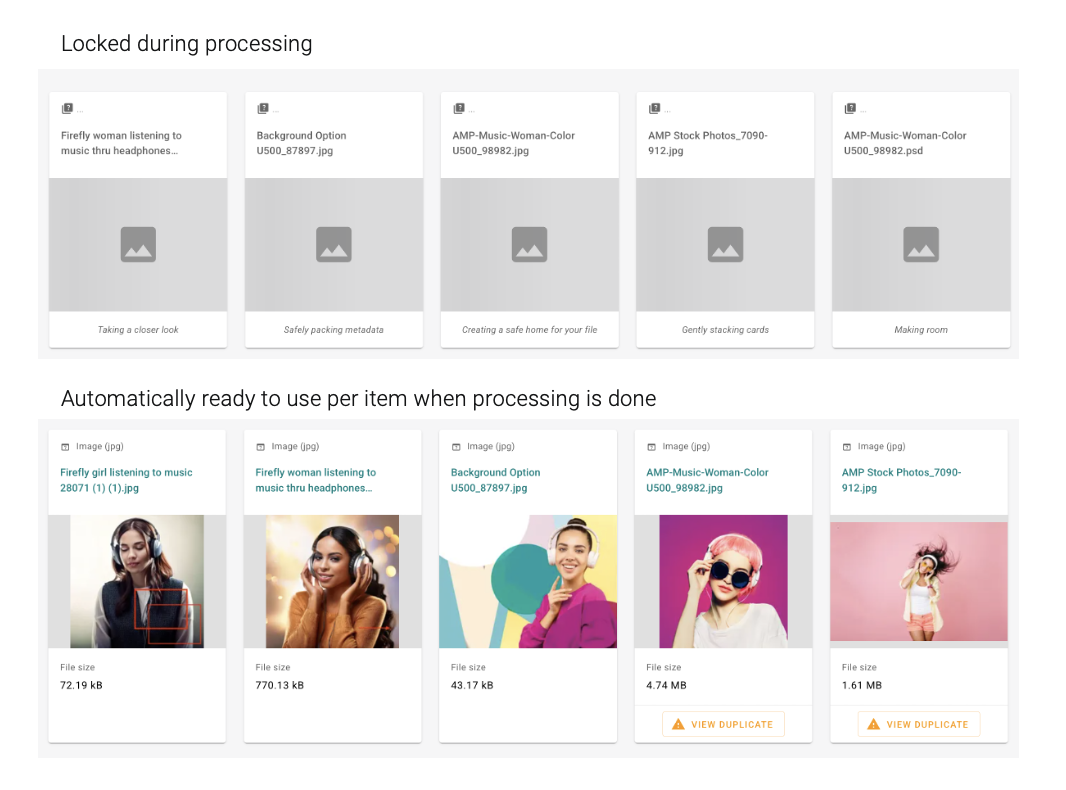
While the Librarian Agent is processing a file, the asset is temporarily locked for editing.
This ensures that:
-
enrichment steps are completed successfully
-
AI driven outputs are applied consistently
-
user updates are not overwritten during processing
Once all steps are complete, the asset becomes fully editable and ready for use.
File ready for use trigger
To support automation after processing, Aprimo provides the File ready for use trigger.
This trigger fires once all processing steps are completed, ensuring that downstream automation only starts when the asset is fully prepared.
Typical use cases include:
-
starting review or approval workflows
-
triggering content distribution
-
updating lifecycle metadata
-
initiating integrations with other systems
This ensures that rules do not run while enrichment is still in progress.
Full visibility into agent activity
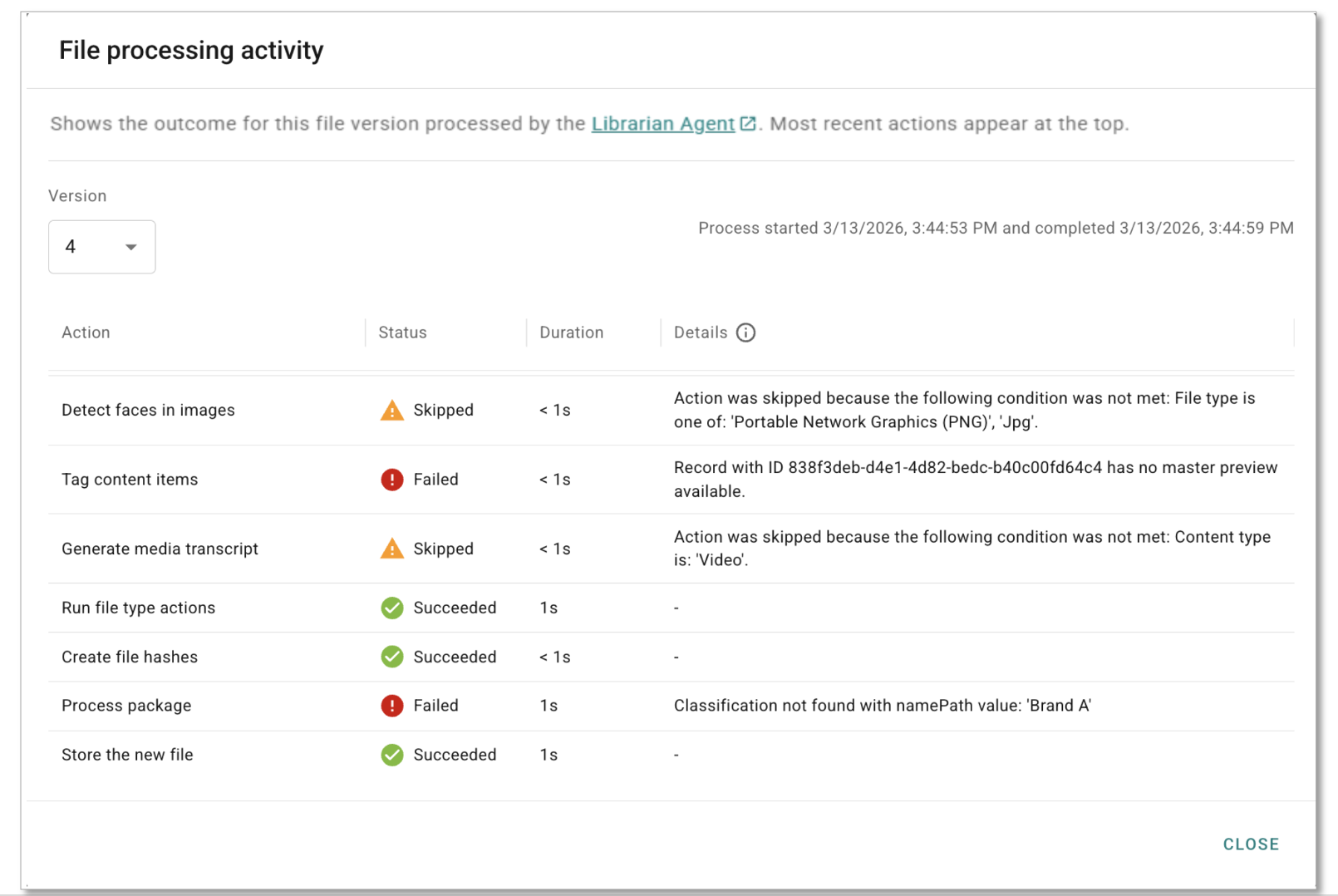
All actions performed by the Librarian Agent are recorded in the asset’s file processing activity log.
Users with the appropriate permissions can view:
-
which actions were executed
-
which steps were skipped due to conditions
-
which actions failed and why
This level of visibility makes troubleshooting easier and provides full transparency into how each asset was processed.